How to Collect User Feedback That Actually Improves Your SaaS Product
Every SaaS team says they listen to users. Few actually have a system for it. The result? Roadmaps driven by the loudest customer on a sales call, engineering time spent on features nobody uses, and churn that could have been prevented if someone had noticed the pattern three months earlier.
Building a real feedback loop is not complicated, but it does require the right structure. This guide walks through the four types of user feedback, the best channels for each, and how to close the loop so users know their input actually mattered — using AnnounceFly as your feedback hub.
The Four Types of User Feedback
Not all feedback is created equal. Treating every user message the same way is how product teams end up chasing noise. Categorise incoming feedback into four buckets:
1. Bug Reports
Something is broken. These are time-sensitive. A user reporting a bug is doing you a favour — and they're expecting a fast response. Bug reports should be triaged within 24 hours and acknowledged, even if the fix takes longer.
2. Feature Requests
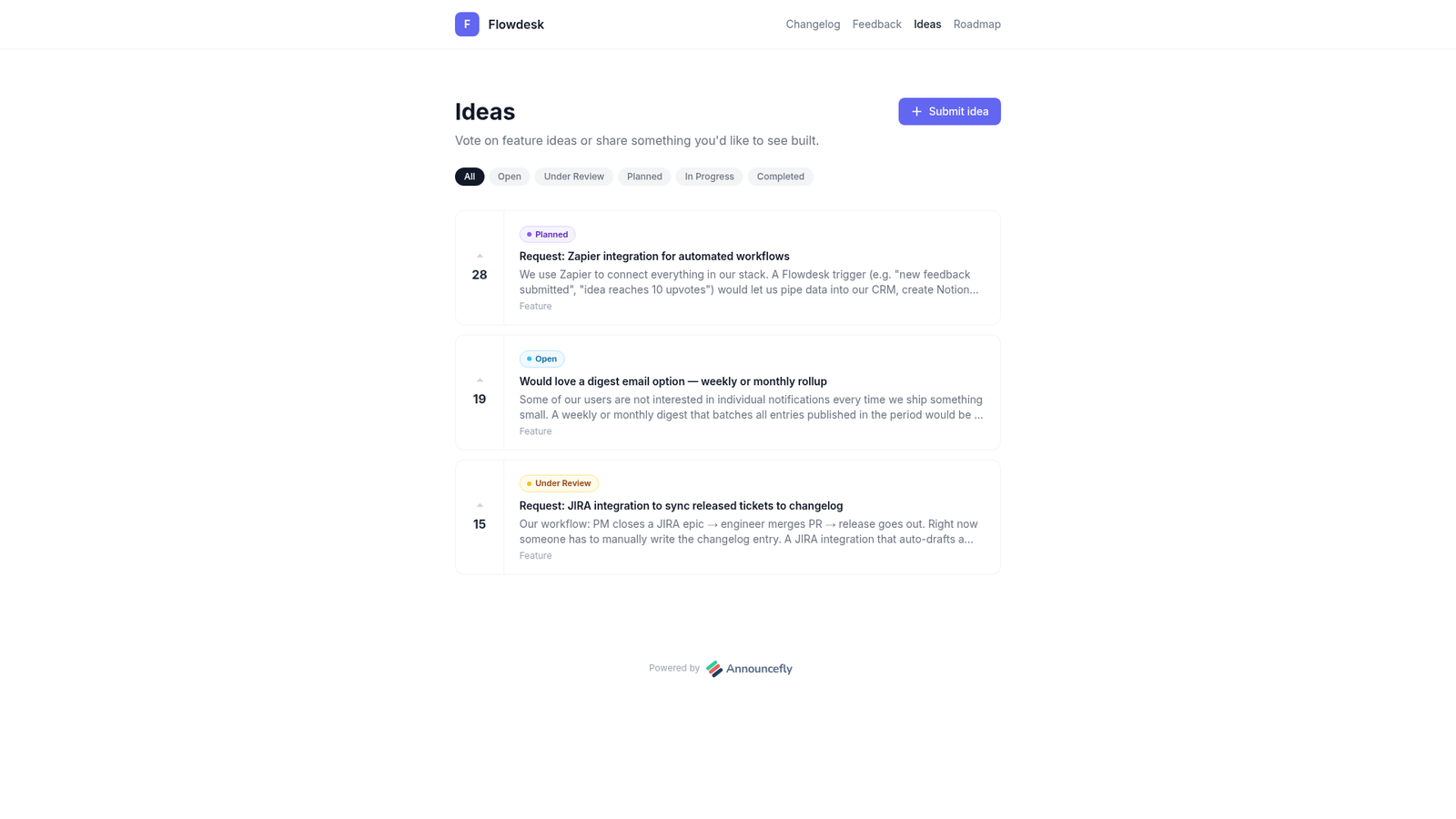
Users want something that doesn't exist yet. The trap here is implementing every request that comes in. A feature request from one vocal user is a data point — not a product decision. The decision comes when 40 users have upvoted the same request and you can see the pattern in your usage data.
3. Usability Feedback
Something works, but it's confusing. This is the hardest feedback to get, because users often can't articulate a UX problem — they just abandon the flow. Look for phrases like "I couldn't figure out how to…" or "I didn't know you could…". These signal friction, not missing features.
4. Praise
Don't dismiss positive feedback as noise. When users tell you what they love, that's the part of the product you protect during roadmap prioritisation. It's also where testimonials and case studies come from.
The Best Channels for Collecting Feedback
Public Feedback Boards
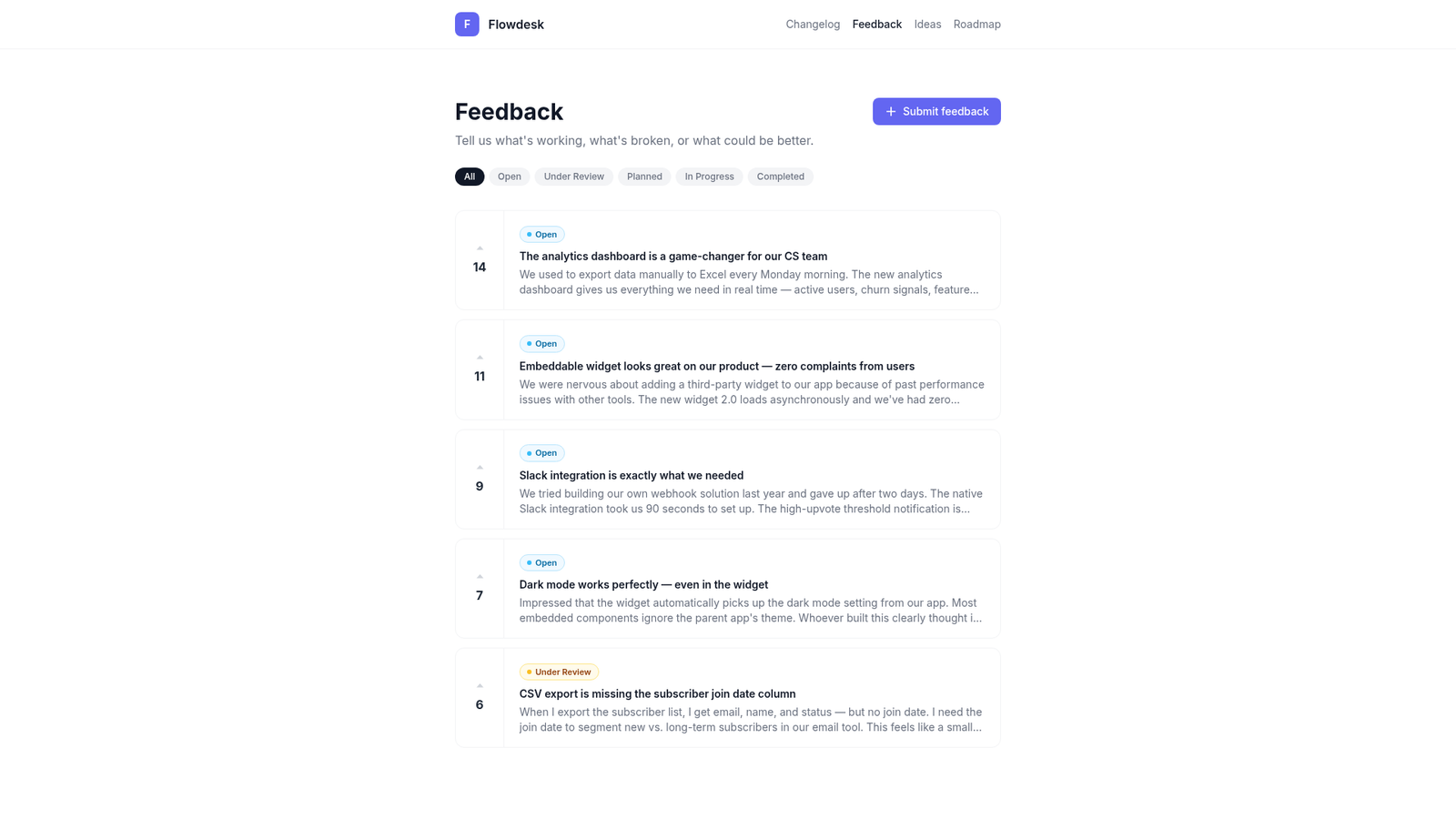
A public feedback board lets users submit issues and ideas, and lets the community upvote what matters most. The upvote mechanic is powerful: it turns qualitative requests into quantitative priority signals. Instead of guessing what to build next, you look at the board and see "47 upvotes for dark mode, 12 for CSV export" — the decision makes itself.
In-App Widgets
Feedback collected inside the product, at the moment when the user hits friction, is the highest-quality feedback you can get. A persistent feedback widget — accessible from every page — removes the friction of sending an email or navigating to a separate portal. AnnounceFly's embeddable widget handles this with a single script tag.
Email Surveys
Use email surveys sparingly and with intent. A post-onboarding survey sent 14 days after signup routinely gets 20–35% response rates. Keep it to 3–5 questions and use open-ended prompts — "What almost stopped you from signing up?" yields more insight than a 1–10 rating scale.
Support Conversations
Your support inbox is a goldmine of unstructured feedback. Build the habit of tagging support tickets by category (bug, feature request, usability) and reviewing the distribution weekly. When you notice a category spiking, it's a signal worth investigating before it becomes a churn driver.
Collecting feedback without a system to act on it. Users who submit a feature request and never hear back are worse than users who never submitted at all. Silent feedback systems train users to stop participating.
How to Prioritise Feedback Without Losing Your Mind
Once you have a feedback board filling up, prioritisation can feel overwhelming. Use this simple filter:
- Upvotes × ICP fit. A request from 30 users in your target segment outranks a request from 100 users outside it.
- Revenue impact. Would solving this enable an upsell, prevent churn, or unlock a deal that's currently blocked?
- Effort vs. value. A high-value, low-effort improvement ships before a high-value, high-effort feature that takes a quarter.
- Strategic alignment. Does it move you toward the product vision, or is it a side road that satisfies one customer?
Closing the Loop: The Step That Builds Loyalty
Closing the feedback loop means telling users what happened to their input. This is the single biggest missed opportunity in SaaS product communication.
When you ship a feature that was requested on your feedback board, do four things:
- Update the idea's status to "Completed" on your feedback board.
- Publish a changelog entry that explicitly mentions "You asked for this — here it is."
- Notify email subscribers automatically (AnnounceFly does this on publish).
- Update the roadmap to move the item to "Released."
This sequence — feedback board → roadmap → changelog → email — is how teams turn one-time users into loyal advocates. People who see their requests ship come back. They upgrade. They refer others.
Setting Up Your Feedback System with AnnounceFly
AnnounceFly connects all four parts of the feedback loop in one product:
- Feedback board — public page where users submit and upvote issues
- Ideas board — separate board for feature requests with voting and status tracking
- Public roadmap — shows what you're working on and what's coming next
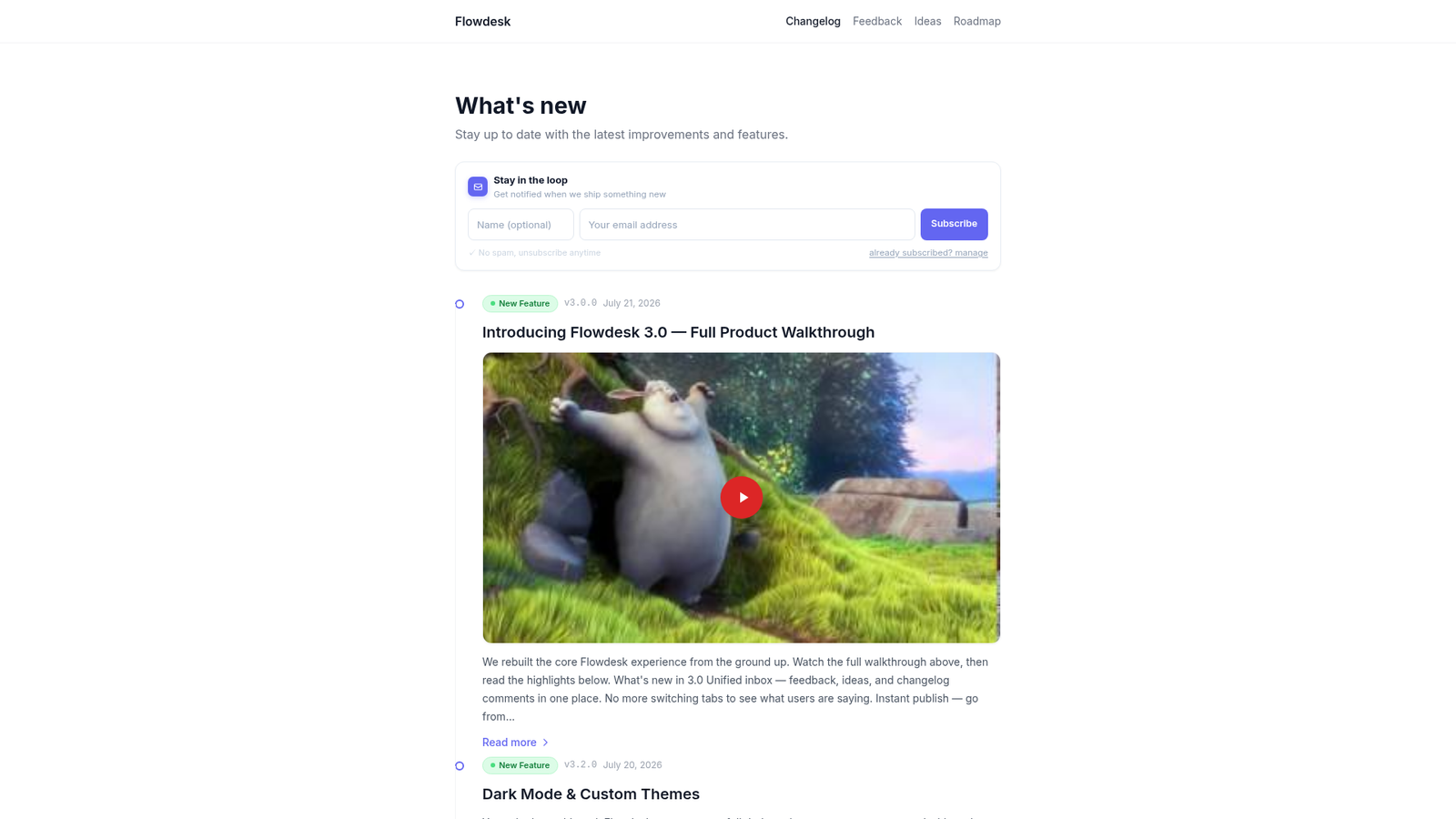
- Changelog — closes the loop when features ship
- Email notifications — subscribers hear about it automatically
You don't need a patchwork of five different tools. The entire loop lives in one place, linked together, with a single public URL your users can bookmark.
Key Takeaways
- Categorise feedback into bug reports, feature requests, usability issues, and praise — and handle each differently.
- Public feedback boards with upvoting turn qualitative input into quantitative priority signals.
- Collect feedback inside the product (widget), by email (surveys), and through support tickets.
- Prioritise by ICP fit, revenue impact, effort, and strategic alignment.
- Always close the loop — users who see their feedback shipped become your most loyal advocates.
Start collecting feedback that actually moves the needle
AnnounceFly gives you a feedback board, ideas board, roadmap, and changelog — all connected. Free 7-day trial, no credit card required.
Start your free trial →Frequently Asked Questions
The most effective approach combines multiple channels: a public feedback board for feature requests, in-app surveys triggered at key moments, support ticket analysis, and scheduled user interviews. Each channel surfaces different types of signal. Using all four together gives you a complete picture of what users actually need versus what they say they want.
Use a simple impact-versus-effort matrix: score each request by how many users need it, how large a segment it affects, and how much effort it takes to build. Requests that appear across multiple channels — feedback board, support tickets, sales calls — get the most weight. Customer tier and revenue impact should also factor in.
A feedback board (like the one built into AnnounceFly) is always-on and public — users submit ideas, vote on others', and see status updates as you work on items. A survey is a one-time snapshot, better for measuring satisfaction or validating a specific hypothesis. Both have a place; neither replaces the other.
When a feature request ships, notify everyone who voted or commented on it with a direct link to the changelog entry explaining what you built and why. This single action is the most powerful thing you can do for user loyalty. AnnounceFly automates this with its feedback-to-changelog workflow — one click notifies every voter.
You cannot have too much raw feedback — but you can overwhelm your team with noise. The key is triage: deduplicate similar requests, tag them by theme, and review them on a fixed cadence each sprint or month. Let vote counts and customer tier filter what rises to the top, so your team focuses on signal rather than volume.
The changelog software your users will actually read
Start your free 7-day trial — no credit card required.
Start Free Trial →